
Some home upgrades are impressive but complicated. They require new wiring, new fixtures, permits, tools, or a free weekend that somehow never arrives. Other upgrades are small, practical, and surprisingly useful. A smart plug belongs in the second group.
For homeowners who enjoy simple improvements, a smart plug can be one of the easiest ways to make a house feel more convenient without changing the electrical system. You plug it into a standard outlet, connect a device, set it up with an app, and then control that device from your phone or with a compatible voice assistant. It is not a dramatic renovation, but it can solve several everyday problems: lights left on, appliances running longer than necessary, hard-to-reach outlets, and devices that are easy to forget.
This review looks at whether a smart plug is worth adding to a typical home, where it works best, and what kind of user will benefit most. One option that fits this practical home-improvement category is the KMC Smart Plug, which combines remote control, scheduling, energy monitoring, easy Wi-Fi setup, and voice assistant compatibility.
What a Smart Plug Actually Does
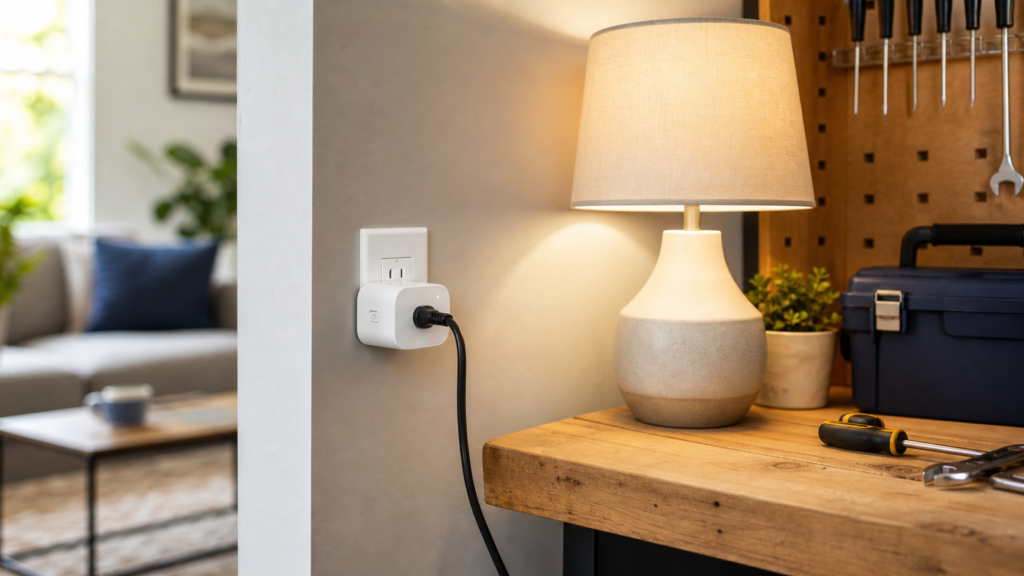
A smart plug sits between your wall outlet and the device you want to control. Once connected to Wi-Fi, it lets you turn the attached device on or off from an app. Depending on the model, it may also support schedules, timers, voice commands, shared access, and energy usage tracking.
That means a regular lamp can behave like a smart lamp. A fan can be scheduled. A coffee maker can be controlled more conveniently. Holiday lights can turn off automatically. A device behind a sofa or under a desk can be managed without moving furniture.
The biggest benefit is that you do not have to replace the appliance or fixture. You keep what you already own and add smarter control at the outlet.
Setup and Ease of Use
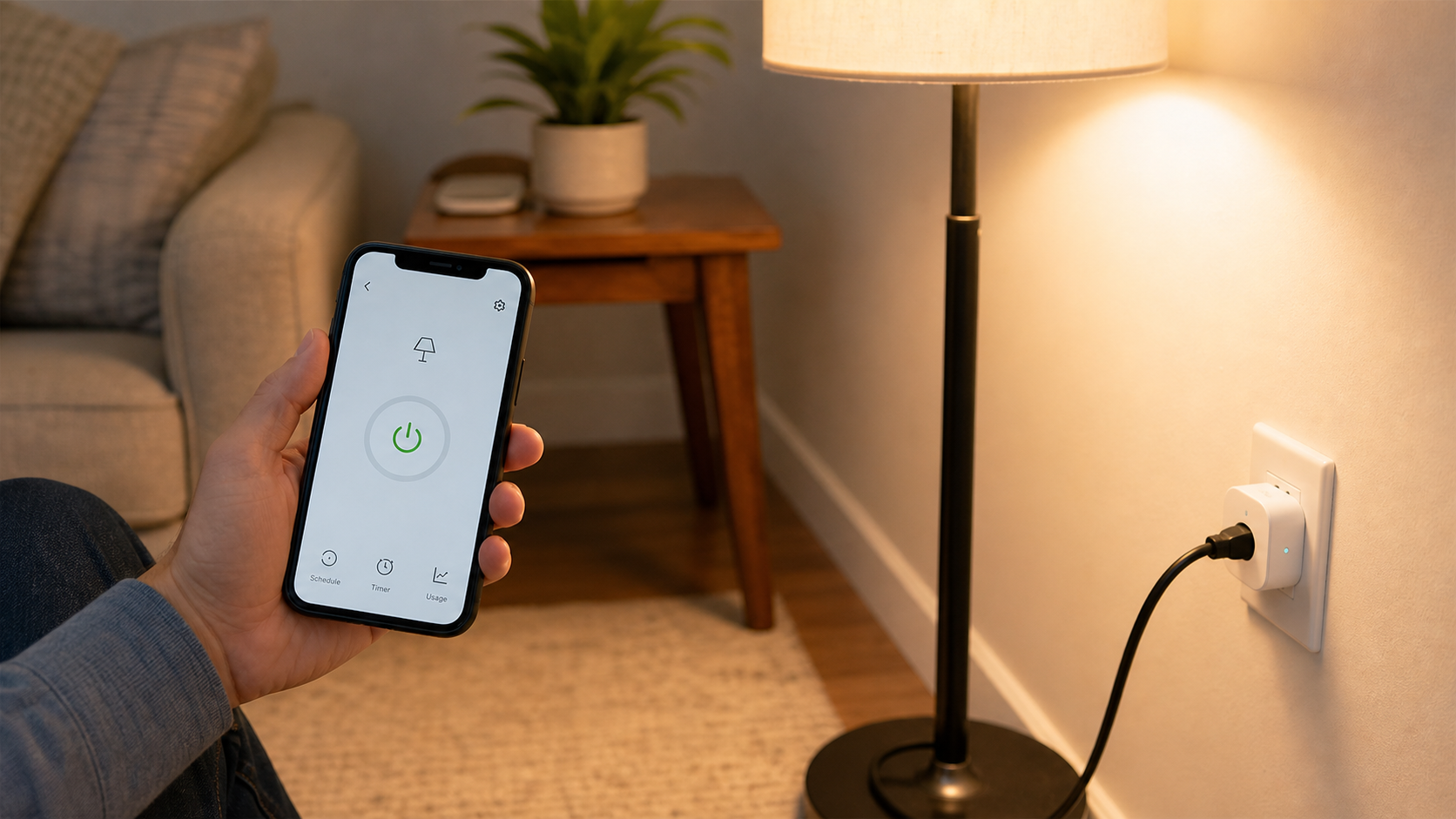
For most homeowners, the first question is whether setup is simple enough. The KMC Smart Plug is designed as a no-hub device, which means it does not require an additional smart home bridge. You plug it in, connect it to your Wi-Fi router, and manage it through the KMC Smart app.
It supports iOS 8 or higher and Android 4.1 or higher, which covers a wide range of phones. Once set up, it can also work with Amazon Alexa and Google Home for voice control. That matters because voice control often becomes useful in ordinary situations: turning off a lamp from bed, switching on a fan while cooking, or controlling a room light when your hands are full.
The learning curve is low. This makes the product a good fit for renters, homeowners who are new to smart home devices, or anyone who wants an upgrade that does not involve wiring.
Remote Control: Useful More Often Than Expected
Remote control sounds simple, but it is one of the most useful smart plug features. If you have ever left home and wondered whether a lamp, fan, or small appliance was left on, app control can be reassuring. You can check the device and turn it off from your phone.
This is especially helpful for rooms that are used irregularly, such as guest rooms, garages, workshops, basements, and home offices. It is also useful for seasonal items like holiday lights, where manual switches can become annoying after a few days.
Remote control should not be used carelessly with every appliance. Users should always follow the product’s power rating and avoid connecting devices that should never be interrupted unexpectedly. But for everyday electronics and lighting, it can be a very practical convenience.
Scheduling: The Feature Most People Keep Using
The KMC Smart Plug allows users to customize schedules so connected home electronics or appliances can turn on and off automatically at set times. This is where a smart plug becomes more than a remote switch.
For example, a living room lamp can turn on before you arrive home. A fan can run during the warmest hours of the day and shut off at night. A workbench light can turn off after the usual project time. Decorative lighting can follow a daily routine instead of staying on until someone remembers it.
Scheduling also improves consistency. Many people intend to turn devices off, but normal routines get busy. Automation removes the need to remember every small task.
For home security, scheduled lighting can also make a house look occupied when people are away. This should not be treated as a full security system, but it can be a useful supporting habit.
Energy Monitoring: A Helpful Tool for Homeowners
One of the strongest reasons to choose a smart plug over a basic timer is energy monitoring. The KMC Smart Plug can track device power usage by day, week, month, and year. This helps homeowners understand which connected devices consume the most energy and where small savings may be possible.
Energy monitoring is useful because many people underestimate how often certain devices run. A fan, air purifier, dehumidifier, or desk setup may use more power than expected if it operates for long hours. Once you can see usage patterns, you can create schedules that reduce unnecessary runtime.
A smart plug will not make an inefficient appliance efficient by itself. But it gives you better visibility. For homeowners trying to manage electricity bills, that visibility can lead to better habits.
Safety Features and Practical Limits
Safety matters with any device that connects to household power. The KMC Smart Plug includes a built-in thermal sensor designed to automatically turn off overheating appliances. It also comes with a 24-month warranty and lifetime support, which gives users an added level of confidence.
That said, a smart plug is not a license to ignore electrical basics. Always check the maximum load, avoid overloading outlets, and do not use it with equipment that should not be switched off unexpectedly. Large appliances and critical devices need special care.
Used properly, a smart plug is best for small to medium everyday devices: lamps, fans, coffee makers, decorative lights, air purifiers, and similar electronics.
Best Places to Use a Smart Plug
The best smart plug locations are places where convenience and routine overlap. A few good examples include:
- A living room lamp behind a sofa
- A bedroom lamp that should turn off at bedtime
- Holiday lights that follow a daily schedule
- A fan in a home office
- A garage or workbench light
- An air purifier that runs during certain hours
- A coffee maker that benefits from remote control
- Decorative lighting in an entryway or patio
These are not complicated use cases, but they are the kind that make a product feel useful every day.
Smart Plug vs. Traditional Timer
Traditional plug-in timers are still useful, especially for simple lighting schedules. They are cheap and straightforward. But they usually lack remote control, energy monitoring, shared access, and flexible app-based scheduling.
A smart plug is better if you want more control and more information. If your routine changes often, app-based scheduling is easier than manually adjusting a timer. If you want to understand electricity usage, a timer cannot help much. If you want to use voice commands, a smart plug is the better option.
For homeowners who only need one fixed schedule, a timer may be enough. For people who want flexibility, the KMC Smart Plug offers more value.
Final Verdict
So, is a smart plug worth it? For many homes, yes. It is not a major renovation, and it will not replace good electrical planning, but it is a simple upgrade that makes everyday devices easier to manage.
The KMC Smart Plug is especially useful for homeowners who want remote control, customized scheduling, energy monitoring, voice control with Amazon Alexa or Google Home, and easy setup without a separate hub. The built-in thermal sensor, warranty, and lifetime support also make it feel more practical for regular home use.
If you are looking for a low-effort smart home upgrade that can improve convenience and help you better understand energy use, a smart plug is a sensible place to start.